
How to Fix Degrading Spark Structured Streaming Jobs in Databricks
Small files, growing state, slowing batches: why Spark Structured Streaming pipelines degrade over time and how to fix them.
 Mory Kaba13 min read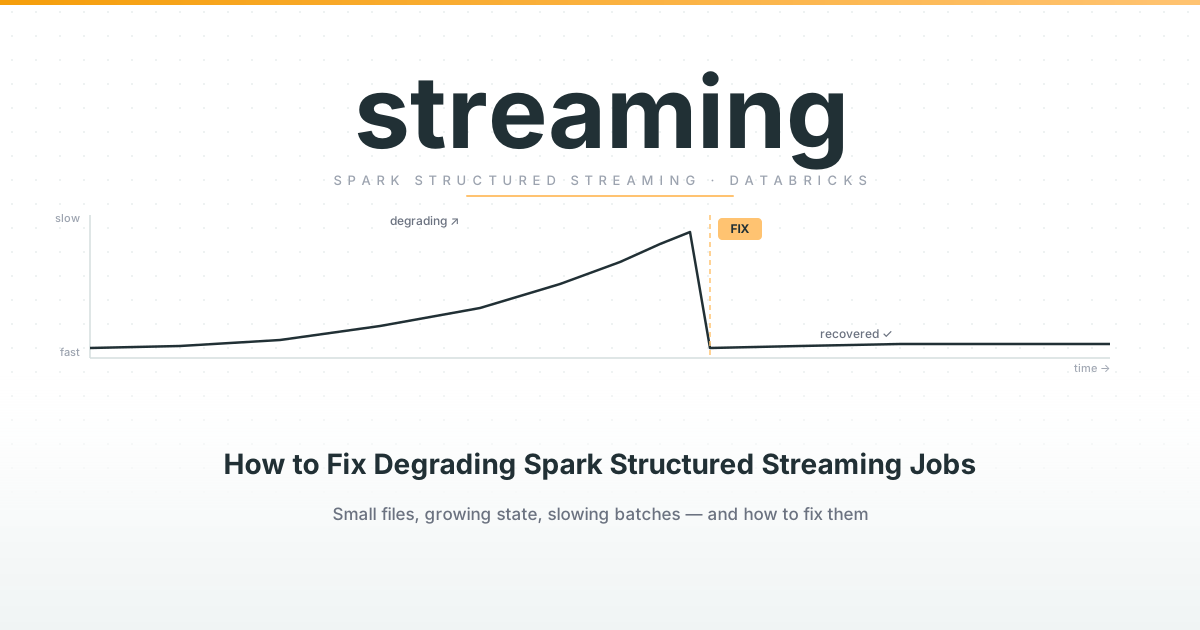
There is something inherently exciting about a streaming pipeline. Seeing data flowing in real or near real-time has its charm. Most data use cases can still be solved using traditional batch processing or micro-batch processing (running pipelines more frequently), but there are some legit cases for real-time data analytics, including:
- Predictive maintenance using IoT sensor data
- Fraud detection using transaction data
- Clickstream data for product analytics
Luckily, platforms like Databricks make it increasingly easier to implement streaming pipelines using Spark Structured Streaming. Databricks does a lot of the heavy lifting behind the scenes and allows you to mainly focus on the design and implementation of your streaming pipeline.
With the rise of Lakeflow Spark Declarative Pipelines (a declarative way of implementing your pipelines for real-time or batch) this is becoming even easier. Moreover, Spark Structured Streaming has almost the exact same API as the DataFrame API, so you don’t have to learn an entirely new API in order to transform your streaming data.
If implementation is becoming increasingly simpler, what challenges do we still have with streaming pipelines in Databricks? Performance. I have yet to see a streaming pipeline that doesn’t degrade in read or write performance over time. In this article we will explore why this is the case and how to fix it.
Key Takeaways
- Streaming jobs degrade over time due to four causes: Delta file proliferation, state store growth, source backlog spirals, and misconfigured shuffle partitions
- Run
OPTIMIZEon all Delta streaming sink tables on a nightly schedule, never synchronously inside the job - Every stateful operation requires a watermark; without one, state grows unboundedly and will eventually stall the job
- Rate-limit your source with
maxOffsetsPerTriggerormaxEventsPerTriggerto prevent backlog feedback loops - Set
spark.sql.shuffle.partitionsto 2–3× your total core count before the streaming query starts
Implementing a Structured Streaming Pipeline in Databricks
Every Spark Structured Streaming pipeline has three core components: a source, a transformation layer, and a sink. In Databricks, the canonical setup looks like this: you read from a message broker such as Apache Kafka or Azure Event Hubs, apply your transformations using the familiar DataFrame API, and write the results into a Delta table, usually as part of a Medallion Architecture.
To make this concrete, let’s use a typical IoT use case: thousands of sensors emitting temperature and pressure readings every second via Azure Event Hubs.
Reading from the source
raw_stream = (
    spark.readStream
    .format("eventhubs")
    .options(**event_hubs_conf)
    .load()
)
The readStream call returns a streaming DataFrame. From this point on, the DataFrame API is almost identical to what you’d use in a batch context. You can apply select, filter, withColumn, joins against static lookup tables, and so on.
Applying transformations
from pyspark.sql.functions import col, from_json, to_timestamp, avg, window
from pyspark.sql.types import StructType, StructField, StringType, DoubleType

schema = StructType([
    StructField("sensor_id", StringType()),
    StructField("temperature", DoubleType()),
    StructField("pressure", DoubleType()),
    StructField("event_time", StringType()),
])

parsed = (
    raw_stream
    .select(from_json(col("body").cast("string"), schema).alias("data"))
    .select("data.*")
    .withColumn("event_time", to_timestamp("event_time"))
    .withWatermark("event_time", "2 minutes")
    .groupBy(window("event_time", "5 minutes"), "sensor_id")
    .agg(avg("temperature").alias("avg_temp"), avg("pressure").alias("avg_pressure"))
)
Note the watermark here. We’re dealing with a windowed aggregation, which is a stateful operation, so we need to tell Spark when it’s safe to evict state.
Writing to the sink
query = (
    parsed.writeStream
    .format("delta")
    .outputMode("append")
    .option("checkpointLocation", "abfss://checkpoints@datalake.dfs.core.windows.net/iot-agg/")
    .trigger(processingTime="10 seconds")
    .toTable("silver.sensor_aggregates")
)
Databricks handles the rest. The streaming query runs continuously, firing a micro-batch every 10 seconds, checkpointing its progress to ADLS, and appending the aggregated results to your Delta table. Simple to set up. The problems come later.
Important Concepts in Structured Streaming
Before diving into the nitty gritty details of performance tuning of a Spark Structured Streaming pipeline, let’s first have a look at some of the fundamental concepts.
What are micro-batches in Spark Structured Streaming?
In the context of Spark Structured Streaming, “real-time processing” is a bit misleading. Spark Structured Streaming is not real-time in the literal sense. The engine rather processes data in a sequence of micro-batches. Each micro-batch reads a bounded set of new records, processes them, writes output, and commits a checkpoint. The engine then plans the next batch. Everything else in the system flows from this model.
A continuous processing mode was also introduced in open-source Spark, but it is not supported on Databricks.
Trigger Modes
The trigger mode controls when a micro-batch fires:
| Trigger | Behavior |
|---|---|
processingTime("10 seconds") | Fixed interval. Waits even if no new data |
once | Runs one batch, then stops (deprecated since DBR 11.3 LTS / Spark 3.4) |
availableNow | Processes all available data in multiple batches, then stops. The modern replacement for once |
realTime("5 minutes") | Databricks-native sub-second latency; processes data as it arrives within long-running batches. The argument is the checkpoint interval. Requires DBR 16.4 LTS+, update mode only |
continuous("1 second") | True continuous (not supported on Databricks) |
What is the difference between stateless and stateful processing in Spark?
With stateless processing, the query engine can process the data of each micro-batch without needing to be aware of previously processed data. Operations like select, filter, or joins on a static table are simple to scale and do not require any “memory” of previously processed data.
# All stateless - each record stands alone
df.filter(col("country") == "DE")
df.select("user_id", "event_type", upper(col("name")))
df.withColumn("amount_eur", col("amount_usd") * 0.92)
df.join(static_lookup_table, "product_id")
With stateful processing, the engine needs to keep track of information processed in previous micro-batches because the result set is dependent on that information.
# All stateful - require state across batches
df.groupBy("user_id").count()                           # aggregation
df.groupBy(window("event_time", "5 min")).sum("amount") # windowed aggregation
df.dropDuplicates(["event_id"])                         # deduplication
stream_a.join(stream_b, "session_id")                   # stream-stream join
df.flatMapGroupsWithState(...)                          # arbitrary stateful logic
All operations in the above example require the engine to store information across micro-batches in an intermediate state. More on this shortly.
State Store
The mechanism for tracking information across micro-batches is an in-memory working store that lives either in executor memory or uses an off-heap mechanism called RocksDB. The state store holds the intermediate results that stateful operators need to produce correct output.
Checkpointing
The checkpointing mechanism allows your streaming query to be fault tolerant. It tracks which data has been processed so far. If the job crashes for any reason, the query can use the last checkpoint to only process data that hasn’t been processed yet.
The checkpoint mechanism is implemented by periodic writes to a checkpoint directory on object storage (Azure Data Lake Storage or AWS S3):
df.writeStream \
  .option("checkpointLocation", "s3://bucket/checkpoints/my-query/") \
  .start()
Watermarking
As we already discussed, stateful operations require intermediate information to be regularly saved in order for the streaming query to produce correct results. This state can grow quite large over time and slow down your streaming query. Watermarking sets a threshold that Spark uses to determine when it is allowed to periodically drop intermediate state.
windowed = (
    clicks
    .withWatermark("event_time", "2 minutes")   # evict state where event_time < max(event_time) - delay
    .groupBy(window("event_time", "10 minutes"), "user_id")
    .count()
)
Output Modes
The output mode controls how the data from each micro-batch is written to the sink:
| Mode | Writes | Requires |
|---|---|---|
append | Only new rows that will never change | Stateless ops or watermarked windowed aggregations |
update | Rows that changed since last batch | Any op (stateful or stateless) |
complete | Entire result table every batch | Aggregations (expensive, avoid at scale) |
The diagram below shows how each output mode affects what gets written to the sink across three consecutive micro-batches. The query computes a windowed count per user using a 10-minute tumbling window and a 5-minute watermark. In append mode, a window is only emitted once the watermark advances past its end, which is why batch 1 writes nothing: W1 is still open.
events \
    .withWatermark("event_time", "5 minutes") \
    .groupBy(window("event_time", "10 minutes"), "user") \
.count()append is almost always preferable because it produces the smallest write amplification and its output is immutable. For stateful windowed aggregations it requires a watermark to determine when windows are final. For unbounded aggregations it cannot be used at all; those require update or complete.
Why Your Streaming Job Becomes Slow
A freshly deployed streaming job tends to run beautifully. Batch latency is low, throughput is healthy, and the cluster hums along. Then, somewhere between a few days and a few weeks in, things start to slow down. Batches that used to finish in 2 seconds now take 15. What happened?
There are four common culprits: Delta Lake file proliferation, state store growth, source backlog feedback loops, and shuffle partition misconfiguration.
Delta Lake File Proliferation
Every micro-batch that writes to a Delta sink creates one or more small Parquet files. If your trigger interval is 10 seconds, you’re generating up to 8,640 write operations per day, each depositing small files into your table’s storage path. Over time this leads to two problems.
First, read amplification: any downstream query that scans the table now has to open and process thousands of tiny files instead of a handful of well-sized ones. The per-file overhead (metadata reads, S3/ADLS API calls, Parquet footer parsing) dominates and throughput collapses.
Second, Delta transaction log growth: Delta Lake maintains a _delta_log directory with a JSON entry for every committed transaction. As this log grows, the streaming job itself has to read more log entries at the start of each batch to determine what data is new. This adds latency before a single record is even processed.
State Store Growth
For stateful operations, Spark accumulates intermediate state in the state store across micro-batches. Without a watermark, or with a watermark that is too generous, this state grows unboundedly. As the state store gets larger, each batch takes longer to read from and write back to it. On the default in-memory backend this eventually leads to GC pressure and executor instability. On the RocksDB backend performance degrades more gradually, but it still degrades.
A common mistake is using dropDuplicates on a high-cardinality key without a watermark. Spark has to remember every key it has ever seen to deduplicate correctly. Without a watermark, that set grows forever.
Source Backlog Growth
If the pipeline cannot consume events as fast as they arrive, each new micro-batch picks up a larger slice of data. Larger batches take longer to process, so the consumer falls further behind, producing yet larger batches in the next cycle. Left unchecked, this spiral eventually causes batches to run for minutes instead of seconds while the consumer group lag on your message broker climbs without bound.
Shuffle Partition Misconfiguration
Stateful operations like windowed aggregations and stream-stream joins shuffle records to the correct state partitions. Spark uses spark.sql.shuffle.partitions to control how many partitions are created. The default of 200 is almost never right for streaming.
Too few partitions: each partition holds a large slice of state, tasks run long, and a single slow task blocks the entire batch. Too many: per-task scheduling overhead dominates on a small cluster, and you generate thousands of tiny shuffle files. Unlike batch jobs, the partition count is fixed at query startup because the state store is keyed by partition ID; changing it mid-stream would corrupt state.
How to Fix It
The good news is that all four causes have well-established remedies.
How do you fix Delta Lake file proliferation with OPTIMIZE?
Delta Lake’s OPTIMIZE command compacts small files into larger, well-sized Parquet files. For a streaming sink, you want to run this on a schedule, typically a nightly Databricks Job targeting the affected tables.
OPTIMIZE silver.sensor_aggregates;If your table is large and you only care about recent data in most queries, pair OPTIMIZE with ZORDER on your most selective query columns:
OPTIMIZE silver.sensor_aggregates ZORDER BY (sensor_id, event_time);Don’t run OPTIMIZE synchronously inside the streaming job itself. It will block the write path and introduce latency spikes.
Liquid Clustering as a Longer-Term Solution
If you’re on Databricks Runtime 15.2 or later, Liquid Clustering is worth adopting on high-write tables. Instead of static partitioning or ZORDER (which are applied at OPTIMIZE time and can’t be changed without a full rewrite), Liquid Clustering uses a flexible clustering key that reorganises data incrementally as part of the OPTIMIZE process.
CREATE TABLE silver.sensor_aggregates
CLUSTER BY (sensor_id, event_time);
The practical benefit for streaming sinks is that you stop fighting against mismatched partition schemes as your query patterns evolve. The clustering adapts without requiring a table migration.
Think Carefully Before Partitioning
It’s tempting to partition a high-volume streaming sink by date or hour. In practice, partitioning a table with small, frequent writes often makes the small-file problem worse, because each micro-batch scatters its writes across multiple partition directories. Unless your partitions are large enough to be meaningful (typically hundreds of MB per partition directory per batch), avoid partitioning the sink table and let OPTIMIZE handle file layout instead.
Taming State Store Growth
The fix here is straightforward but easy to forget during initial implementation: always set a watermark for stateful operations. The watermark tells Spark that any event older than the threshold can be evicted from state, which keeps the state store bounded.
df.withWatermark("event_time", "10 minutes") \
  .groupBy(window("event_time", "5 minutes"), "sensor_id") \
  .count()
For deduplication specifically, set the watermark on the event timestamp and deduplicate within that window:
df.withWatermark("event_time", "1 hour") \
  .dropDuplicatesWithinWatermark(["event_id"])  # Spark 3.5 / DBR 13.3+
If your use case requires large state and you haven’t already, switch the state store backend to RocksDB. It spills state to disk rather than holding it in executor heap, which makes GC behaviour far more predictable:
spark.conf.set(
    "spark.sql.streaming.stateStore.providerClass",
    "com.databricks.sql.streaming.state.RocksDBStateStoreProvider"
)
Taming Source Backlog
Rate-limit the source to cap the maximum data processed per batch:
# Kafka
.option("maxOffsetsPerTrigger", 100_000)

# Azure Event Hubs
.option("eventhubs.maxEventsPerTrigger", 10_000)
Monitor consumer lag alongside batch duration. If lag grows while batch duration stays flat, the pipeline needs more parallelism or a larger cluster, not a rate cap. A rate cap on an undersized cluster just hides the problem.
Setting the Right Shuffle Partition Count
A practical starting point is two to three times the total number of cores on your cluster:
spark.conf.set("spark.sql.shuffle.partitions", 32) # e.g. 4 workers × 4 coresSet this at cluster startup before the streaming query begins. Because the partition count is locked in at query start, revisit it whenever cluster size or sustained data volume changes significantly; it requires a query restart to take effect.
Conclusion
Spark Structured Streaming in Databricks is genuinely well-designed. The API is clean, the fault tolerance is solid, and getting a first pipeline running takes hours rather than days. But performance over time is a different story. Small files accumulate quietly, the transaction log grows, and state store overhead creeps up until batches that once ran in seconds start taking minutes.
The fixes are not complicated. Run OPTIMIZE on a regular schedule, adopt Liquid Clustering on high-write tables, resist the urge to over-partition, make watermarks a non-negotiable part of any stateful query, rate-limit your source, and set shuffle partitions explicitly. Put those habits in place from the start and your streaming job will still be running cleanly months after deployment.
When those habits are missing from a pipeline that’s already in production, cleaning it up is ordinary data engineering work - usually less dramatic than the backlog makes it look.
Frequently Asked Questions
Why does a Spark Structured Streaming job get slower over time?
The four most common causes are: Delta Lake file proliferation from frequent small writes, unbounded state store growth in stateful operations without a watermark, a source backlog feedback loop when the consumer falls behind, and misconfigured shuffle partitions that bottleneck individual tasks or generate excessive scheduling overhead.
How often should I run OPTIMIZE on a Delta streaming sink?
Run OPTIMIZE on a nightly schedule using a Databricks Job targeting the affected tables. Do not run it synchronously inside the streaming job; it blocks the write path and introduces latency spikes. For tables with high query selectivity, pair it with ZORDER BY on your most frequently filtered columns.
What is the right watermark delay for a stateful streaming job?
Set the watermark delay to the maximum expected lateness in your event data. For IoT sensor data, 2–10 minutes is typical. For user activity events, 30–60 minutes may be more appropriate. Too large and you waste state store memory; too small and late-arriving events are silently dropped from aggregations.
What is the difference between the once and availableNow trigger modes?
once (deprecated since DBR 11.3 / Spark 3.4) processed all available data in a single batch then stopped. availableNow is the modern replacement: it processes all available data across multiple batches then stops, which avoids the memory pressure and task skew that a single oversized batch creates.
Can I change shuffle partitions without restarting the streaming query?
No. spark.sql.shuffle.partitions must be set before the streaming query starts. Because the state store is keyed by partition ID, changing the partition count mid-stream would corrupt existing state. A query restart is required, which means a brief gap in processing.
When should I switch to RocksDB as the state store backend?
Switch to RocksDB when your stateful operation accumulates large state (many distinct keys or large per-key values), or when you are seeing GC pressure and executor instability on long-running jobs. RocksDB spills state to disk rather than holding everything in executor heap, making garbage collection far more predictable at the cost of slightly higher per-batch latency.
Newsletter
Get practical data engineering notes in your inbox
Occasional emails on lakehouses, dbt, Spark, RAG, and what actually works in production. No fluff, unsubscribe anytime.